A b o u t M e

Hi! My name is Keagile Sekete and I am an analytically trained professional with a background in economics and politics, and a strong focus on software development and data analytics.
My academic foundation in research, systems thinking, and economic analysis led me to pursue technical skills that allow me to solve real-world business and financial problems.
Over the past five years, I have built a solid grounding in data analysis fundamentals, web development, database design, and general computer science.
I have designed and developed websites, built dashboards from scratch, and worked directly with data to extract insights and support decision-making.
My strength lies at the intersection of technical execution and analytical reasoning. I am particularly interested in using software and data to understand complex systems, improve processes, and solve structured problems within business and financial environments.
My goal is to continue developing as a technically rigorous, business-aware developer and analyst who can translate data into insight and systems into impact.

  • Data Analysis
    MS Excel
    MSSQL
    PowerBi
    Python
    Javascript
    HTML/CSS
  • Economic Analysis
    Econometrics
    Macroeconomics
    Microeconomics
    Monetary Economics
  • 1 Jan 2023 - Current
    Community Development Analyst at the Matlosana Municipality
  • 1 Jan 2024 - 31 Dec 2024
    Broker Assistant & Personal Financial Planner at Old Mutual
  • 1 Dec 2023 - 30 Dec 2023
    Bookseller at Bargain Books
  • 1 Dec 2020 - 30 Dec 2022
    Freelance Writer on Upwork.com
  • Bachelor of Art in Economics, Politics & Philosophy (2024)
    University of South Africa
  • National Senior Certificate ( Matric 2016)
    Klerksdorp Technical High School
A p p s

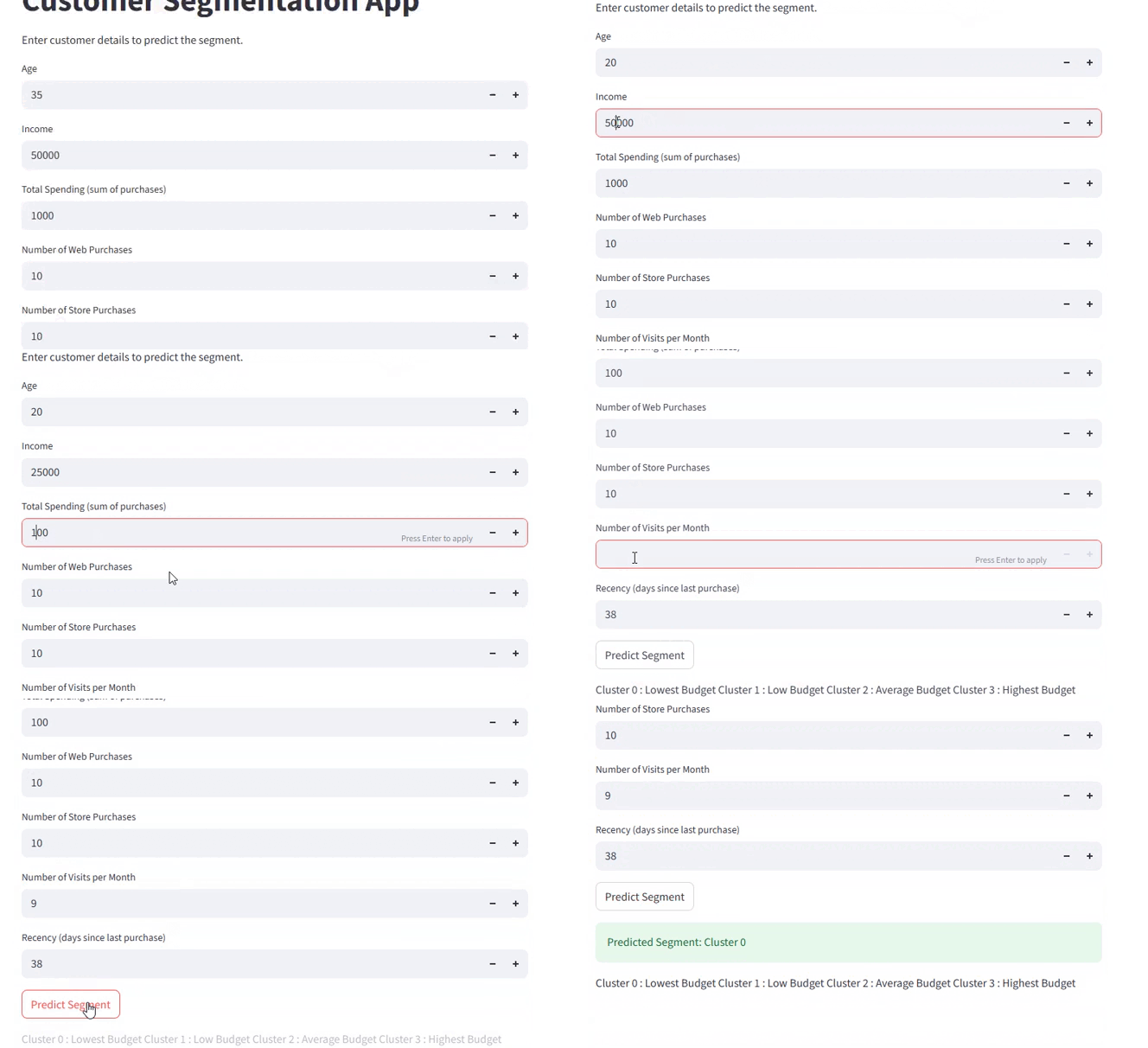
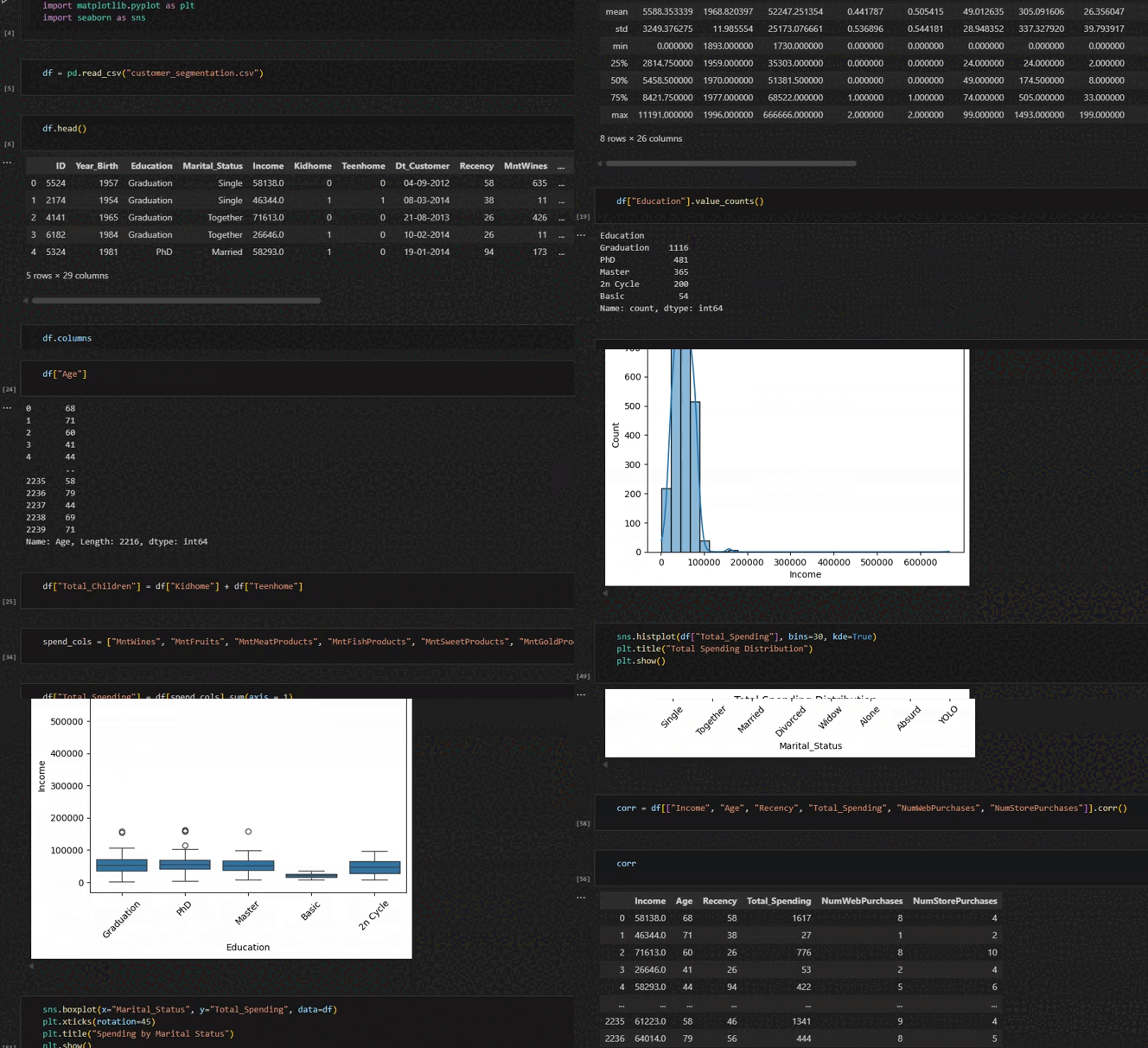
Customer Segmentation App
Go to Webpage
Tools:
Python (pandas, numpy, matplotlib.pyplot, seaborn, streamlit)

The Project:
Create an app to organize customers into their respective budget classes using "clusters".

The Process:
1. Full data cleaning and analysis in .ipynb
2. Create "Clustering-Model" with K-Means Machine Learning Algorithm
3. Deploy with streamlit

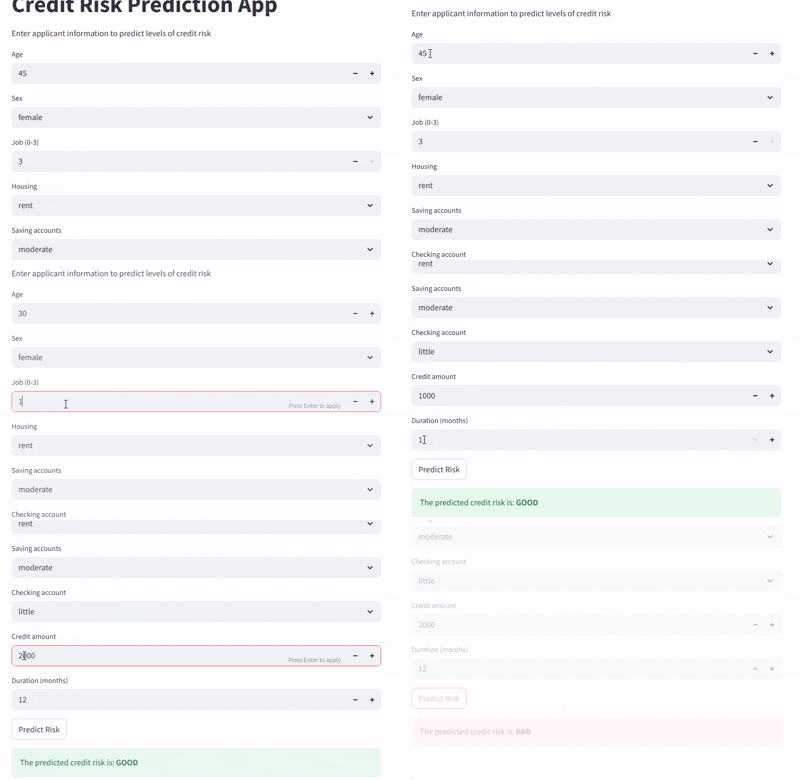
Credit Risk Detection App
Go to Webpage
Tools:
Python (pandas, numpy, matplotlib.pyplot, seaborn, streamlit)

The Project:
Create an app to determine the level risk of clients asking for a line of credit.

The Process:
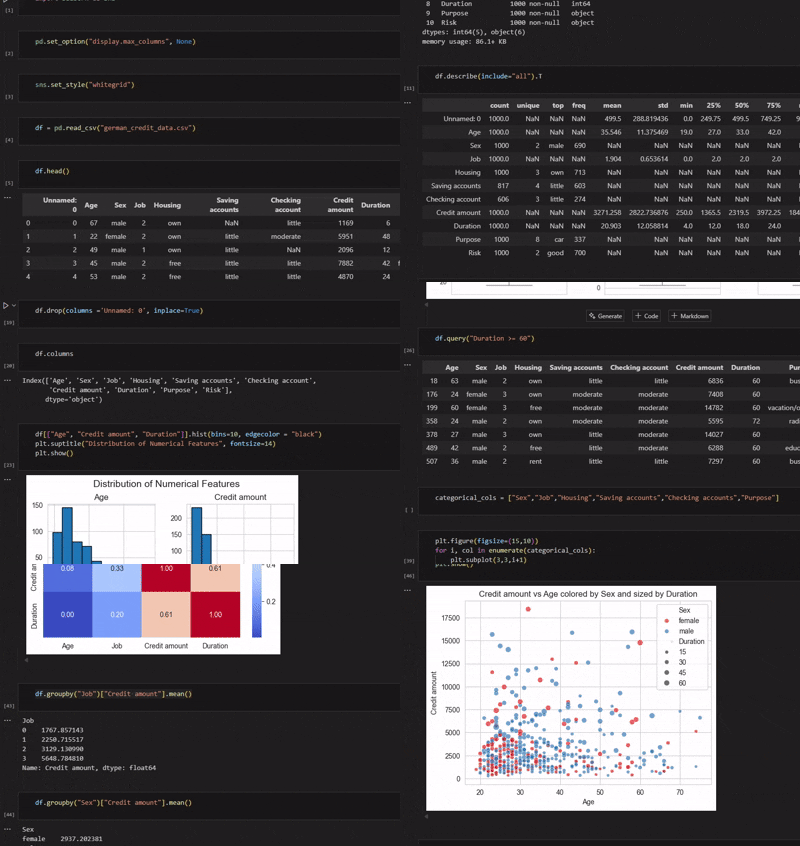
1. Full data cleaning and analysis and model training in .ipynb
2. Train Machine-Learning models with Scikit-Learn.
3. Deploy with streamlit

Fraud Detection App
Go to Webpage
Tools:
Python (pandas, numpy, matplotlib.pyplot, seaborn, streamlit)

The Project:
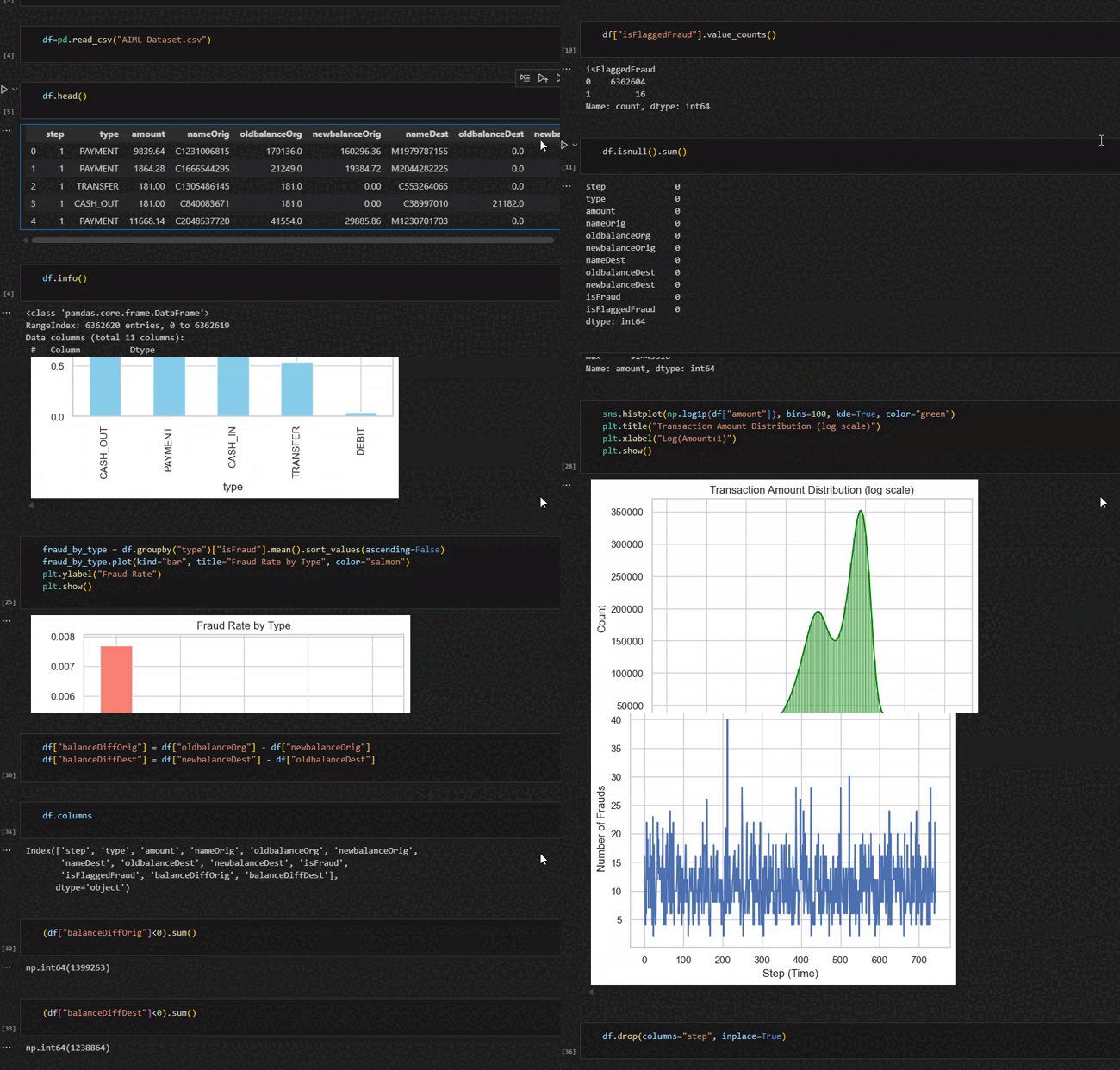
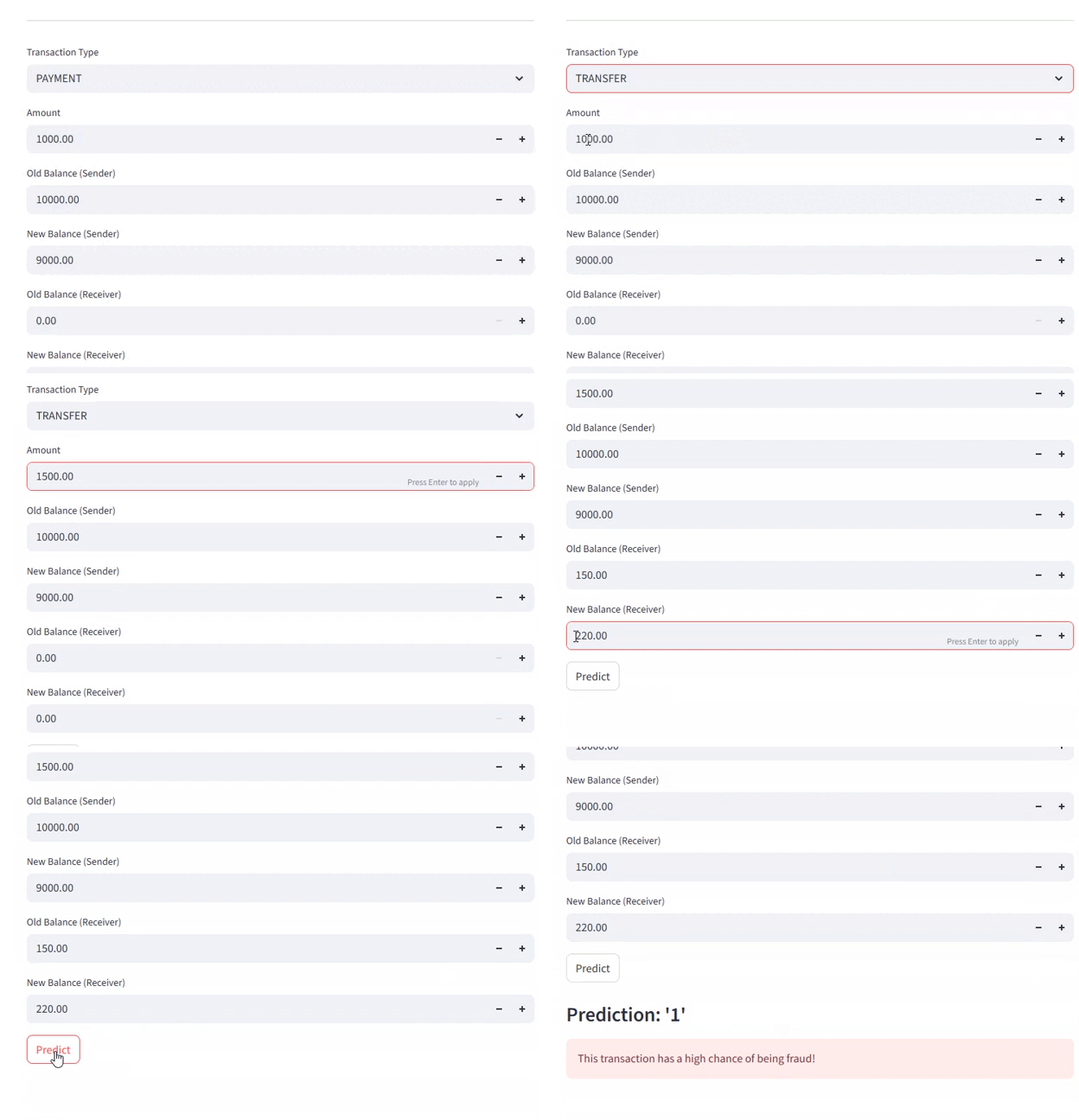
Create an app to detect potential fraud when clients perform various transactions.

The Process:
1. Full data cleaning and analysis and model training in .ipynb
2. Build Machine-Learning model for fraud detection.
3. Deploy with streamlit

D a t a b a s e S y s t e m s

Hospital Management System
Go to Webpage
Tools:
Python for Graphical User Interface(tkinter, pymysql), MySql Workbench for database design & management.

The Project:
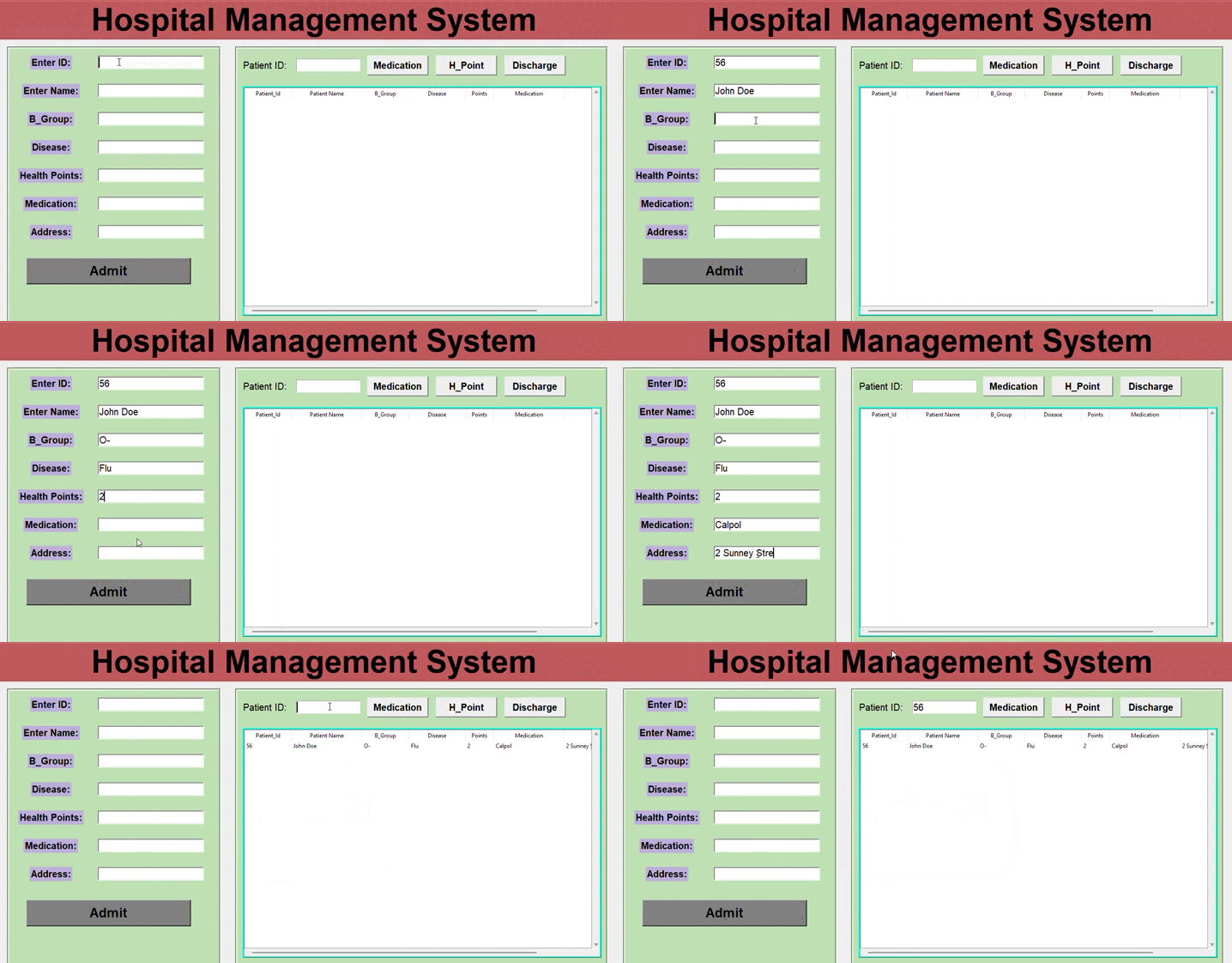
As a data administrator, I have been tasked with building and maintaining a database system for a hospital.
The system inserts patient information into the database, and can extract information through patient id.
The update function allows for health points(h_points) to be added to existing health points; which then also updates the client's medical information.
When the patient is ready to leave, the discharge function removes them from the patient database.

The Process:
1. Create database and tables in MySQL workbench.
2. Connect database to Python script.
3. Configure input fields and buttons to database and table columns.

Navigation:
- Admit Patient -> Insert patient information in the input fields on the left column.
- Show Patient Data -> Insert patient id into input field on the right and then click Medication button.
- Update h_points -> Add health points by clicking h_points button and insert number of points.
- Discharge Patient -> Enter patient id then click Discharge.
Car Rental Management System
Go to Webpage
Tools:
Python for Graphical User Interface(tkinter, pymysql), MySql Workbench for database design & management.

The Project:
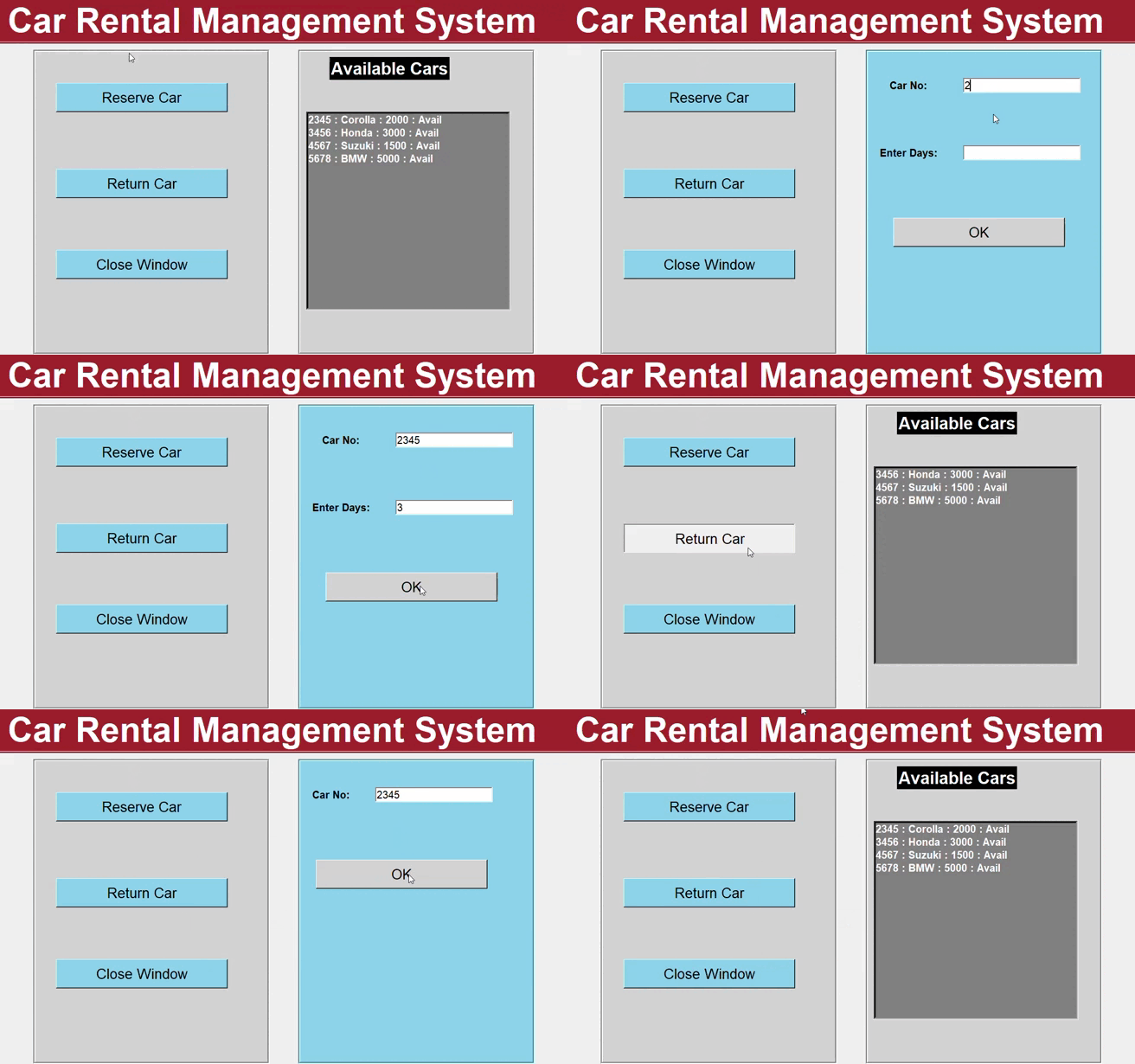
As a data administrator, I have been tasked with building and maintaining a database system for a car rental business.
The database system should be able to update which cars are available and how much it would cost to rent a car for a period of time.

The Process:
1. Create database and tables in MySQL workbench.
2. Connect database to Python script.
3. Configure input fields and buttons to database and table columns.

Navigation:
- Reserve Car -> Insert car model number into entry field and insert desired number of days to rent car.
- Return Car -> Insert car model number into entry field and submit.

D a s h b o a r d s

Python Sales Dashboard
Go to Webpage
Tools:
Python (streamlit, plotly.express, pandas, matplotlib.pyplot)

The Project:
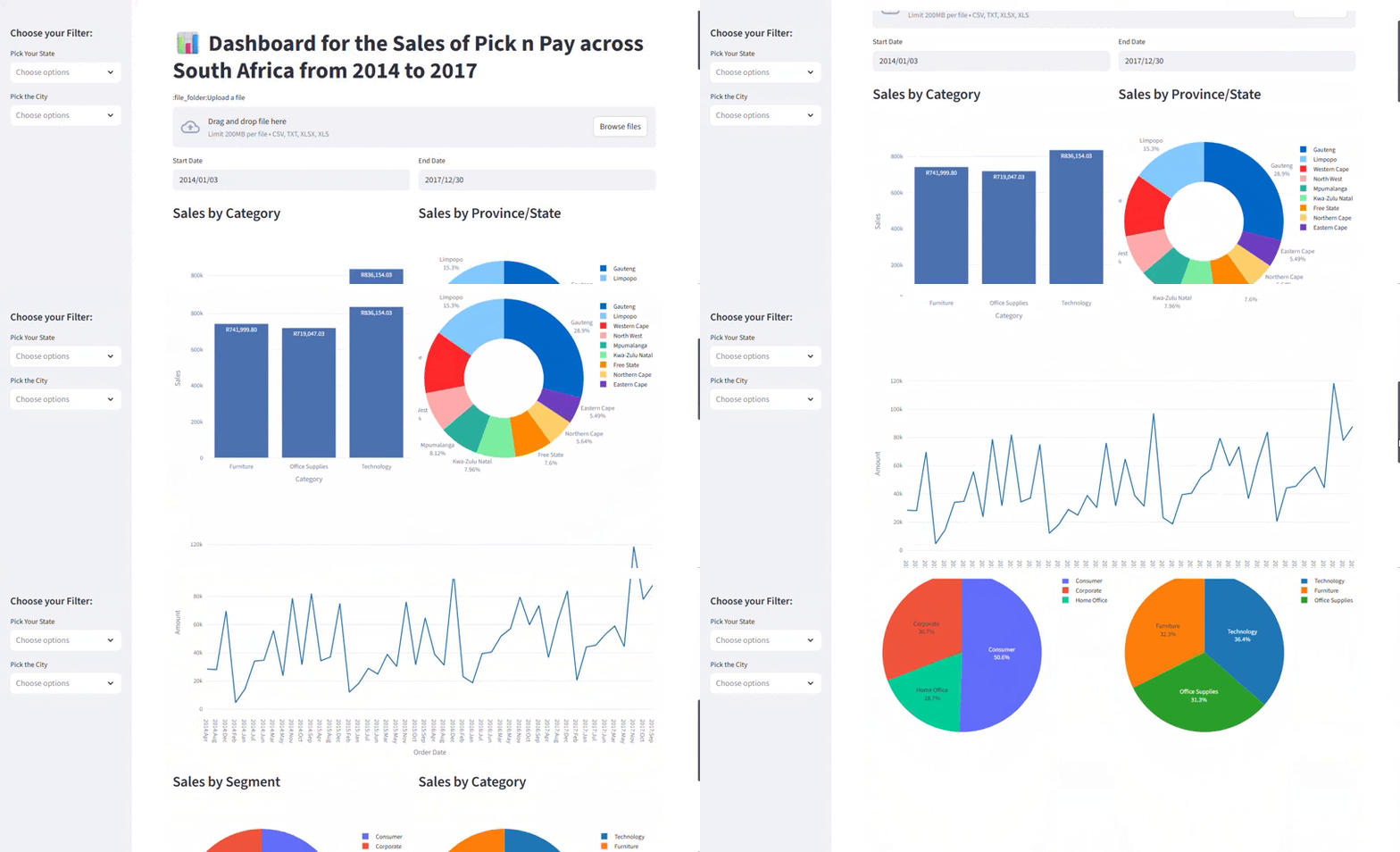
Pick n Pay South Africa wants to visualize its sales data across South Africa to get an idea of where in SA it performs the best and in which category.

The Process:
1. Organize and clean data in Excel sheet.
2. Add encoding to data so that it can be read within Python context.
3. Create the Date Filter and the State Filter Bar.
4. Create treemap based on Region, Category and Subcategory.
5. Set time series data.
6. Set Category by Sales.

Navigation:
- Use filter buttons on the left-side of the screen to filter data by state or province.
- Click on image to see options to view in full screen or download image.
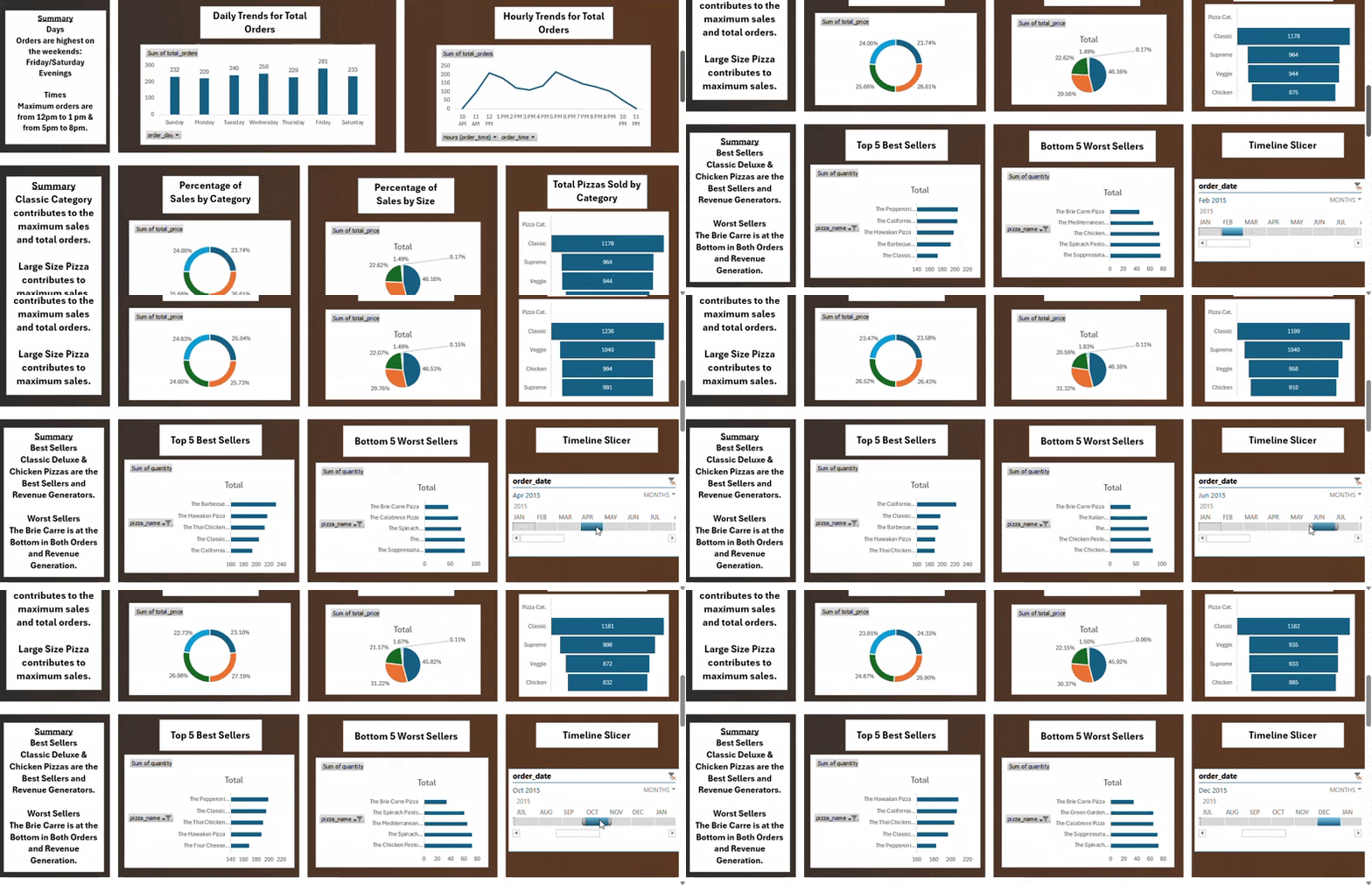
Excel Sales Dashboard
Go to Webpage
Tools:
Microsoft Excel, MS SQL Server, Google OneDrive

The Project:
The task was to create a dashboard that would summarize the findings of calculating the key metrics of a retail pizza store
and to draw insights about business performance from those metrics.

Navigation:
- Use the timeline slicer in the last row,on the far right to filter the information according to the month.
- The formula sheet (beneath the dashboard) conataining the SQL formulas used to calculate the metrics and trends can be downloaded as a pdf file.
- Information about the process of creating the dashboard and the findings can be found beneath the dashboard.

C o n t a c t M e

vanessasekete2.5@gmail.com

+27 76 950 9931